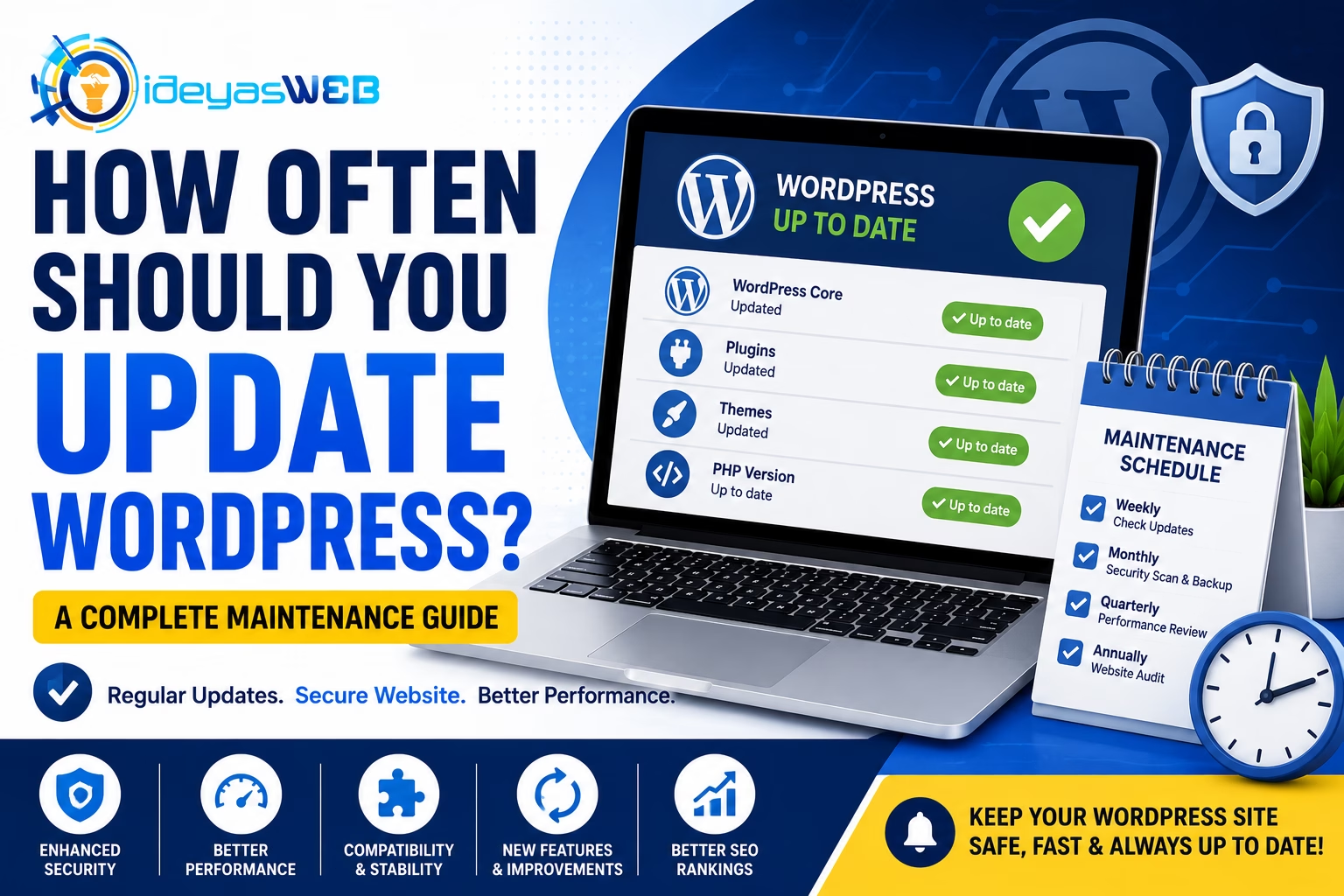
A Complete Guide to Keeping Your Website Secure, Fast, and Reliable
WordPress is one of the most powerful and widely used content management systems in the world. However, simply installing WordPress isn’t enough. To keep your website secure, stable, and performing at its best, regular updates are essential.
Many website owners postpone updates because they’re worried something might break. While caution is understandable, delaying updates for too long can expose your website to security vulnerabilities, compatibility issues, and performance problems.
So, how often should you update WordPress? Let’s find out.
Why Are WordPress Updates Important?
WordPress developers regularly release updates to:
- Improve security
- Fix software bugs
- Increase website performance
- Add new features
- Improve compatibility with newer technologies
Ignoring updates may leave your website vulnerable to hackers and reduce its overall performance.
What Should Be Updated?
Website maintenance involves more than just updating WordPress itself.
You should regularly update:
- WordPress Core
- Themes
- Plugins
- PHP Version
- Website Content
Keeping every component updated helps ensure your website remains secure and compatible.
How Often Should You Update WordPress Core?
Recommended: As Soon As Stable Updates Are Available
Minor updates often include:
- Security patches
- Bug fixes
- Maintenance improvements
These should be installed promptly.
Major updates may introduce new features or significant changes. Before installing them:
- Review the release notes
- Verify plugin compatibility
- Create a complete website backup
- Test updates on a staging site if possible
How Often Should You Update Plugins?
Check Weekly
Plugins receive updates frequently to:
- Fix bugs
- Patch security vulnerabilities
- Improve compatibility
- Add new features
Outdated plugins are one of the most common causes of hacked WordPress websites.
Only install plugins from trusted developers and remove any plugins you no longer use.
How Often Should You Update Themes?
Check Weekly
Theme updates typically include:
- Security fixes
- Compatibility improvements
- Performance enhancements
- Design refinements
If you’re using a child theme, updates to the parent theme can often be applied without affecting your customizations.
How Often Should You Update PHP?
Many website owners overlook PHP updates.
Using a supported PHP version provides:
- Better security
- Faster performance
- Improved compatibility
- Lower server resource usage
Check your hosting control panel regularly to ensure your website is running a supported version of PHP.
Should You Enable Automatic Updates?
Automatic updates can be helpful, especially for:
- Minor WordPress core updates
- Trusted plugins
- Security patches
However, major updates may require manual testing to ensure compatibility with your theme and plugins.
A balanced approach often works best.
Always Create a Backup Before Updating
Before making any updates:
✔ Create a full website backup
This should include:
- Website files
- Database
- Media uploads
- Configuration files
Having a recent backup allows you to restore your website quickly if something goes wrong.
Best Practices Before Updating
Follow these steps:
1. Backup Your Website
Always create a complete backup before making changes.
2. Check Plugin Compatibility
Review whether your plugins support the latest WordPress version.
3. Test on a Staging Website
If possible, test updates on a staging environment before applying them to your live website.
4. Update One Component at a Time
Avoid updating everything simultaneously.
A recommended order is:
- Backup
- WordPress Core
- Plugins
- Theme
- Test Website
This makes troubleshooting much easier if a problem occurs.
Signs Your Website Needs Updates
Your website may be overdue for maintenance if you notice:
- Update notifications in the dashboard
- Plugin compatibility warnings
- Slow performance
- Broken layouts
- Security alerts
- Website errors
- Failed contact forms
Ignoring these warnings can eventually lead to larger problems.
What Happens If You Don’t Update WordPress?
Delaying updates can result in:
- Security vulnerabilities
- Malware infections
- Website downtime
- Plugin conflicts
- Broken functionality
- Poor performance
- SEO ranking declines
Regular updates are much easier than recovering from a hacked or broken website.
Suggested Website Maintenance Schedule
Weekly
- Check for WordPress updates
- Update plugins
- Update themes
- Verify website backups
- Test contact forms
Monthly
- Scan for malware
- Review website speed
- Check broken links
- Review security logs
Quarterly
- Review installed plugins
- Remove unused themes
- Optimize the database
- Update website content
- Audit website performance
A consistent maintenance schedule keeps your website healthy year-round.
How Ideyasweb Can Help
Managing updates can be time-consuming, especially for busy business owners.
At Ideyasweb, we offer professional Website Care & Maintenance services to keep your website secure, updated, and performing at its best.
Our maintenance services include:
- WordPress Core Updates
- Theme Updates
- Plugin Updates
- Daily & Scheduled Backups
- Security Monitoring
- Malware Scanning
- Website Performance Optimization
- Technical Support
- Website Health Checks
We take care of your website so you can focus on running your business.
Final Thoughts
Keeping WordPress updated isn’t just about accessing new features—it’s about protecting your website, your visitors, and your business.
By following a regular maintenance schedule and staying on top of updates, you’ll enjoy better security, improved performance, and a more reliable website.
If you’re unsure about updating WordPress yourself, partnering with a professional maintenance provider can give you peace of mind.